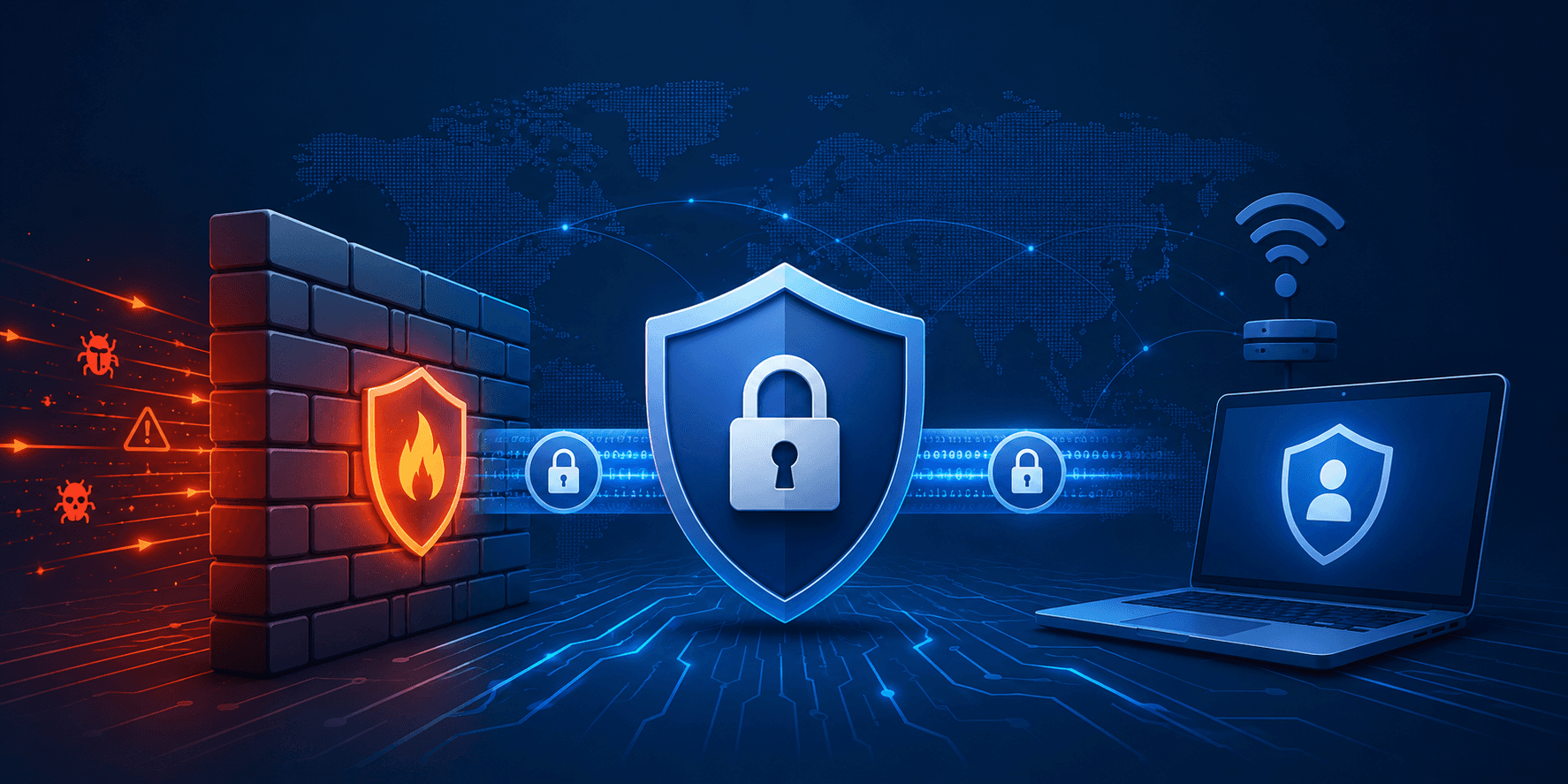
Cybersecurity illustration showing firewall, VPN, and secure network protection.

Firewalls, VPNs and Intrusion Detection Systems Guide

Date Posted:

Category:

Security

Author:

Priyadharshini

Cybersecurity illustration showing firewall, VPN, and secure network protection.

Firewalls, VPNs and Intrusion Detection Systems Guide

Date Posted:

Category:

Security

Author:

Priyadharshini

Cybersecurity illustration showing firewall, VPN, and secure network protection.

Firewalls, VPNs and Intrusion Detection Systems Guide

Date Posted:

Category:

Security

Author:

Priyadharshini

Firewall

A firewall is like a wall that helps keep the people out of your computer system. It blocks people who are not supposed to get in. The firewall acts as a barrier between the networks that you trust and the ones that you do not trust, like the internet. This helps keep your computer system safe, from harm. A firewall is a set of security measures that help protect your computer system from unauthorized electronic access.

Types of Firewalls

  • Packet-filtering firewalls

  • Stateful inspection firewalls

  • Proxy firewalls

  • Next-Generation Firewalls

Firewall Policy Actions

When network traffic reaches a firewall, it is handled based on defined policies. Each packet can have one of the following outcomes

  • Accepted – The packet is allowed through the firewall.

  • Dropped – The packet is blocked silently without notifying the source.

  • Rejected – The packet is blocked and a notification is sent back to the source.

Firewall Policy Decision Factors

When a firewall has to make a decision it looks at the properties of a packet. The firewall checks things like the protocol. This can be TCP or UDP. It also checks the source and destination IP addresses. The source and destination port numbers are important too. The firewall even checks the application-level payload. This is where it can detect things like viruses. The firewall looks at all these things to make its decision about what to do, with a packet. Firewall decisions are based on these packet properties.on

Firewall Policy Approaches: Blacklist, Whitelist.

Blacklist (Default-Allow)

  • Allows all traffic except packets that are explicitly blocked.

  • Pros: Minimal disruption to internal network services.

  • Cons: May allow unexpected or malicious traffic.

Whitelist (Default-Deny)

  • Blocks all traffic except packets that are explicitly allowed.

  • Pros: Stronger security and better control.

  • Cons: Requires detailed rules for all legitimate traffic.

Types of Firewalls

There are kinds of firewalls.

Packet Filters

Packet Filters look at each piece of information that comes in and make a decision based on rules that were set up ahead of time. They do not keep track of what's happening with the connections.

Stateful Filters

Stateful Filters keep track of what's happening with the connections that are currently active. They can figure out if the information that is coming in belongs to a connection that's valid and already set up.

Application Layer Firewalls

These firewalls work like helpers. They understand the specific programs and rules that are being used. They look closely at the information that is being sent to block bad things such, as bad websites or viruses.

Application Layer Firewalls can do this because they understand what the information is and where it is coming from.

Virtual Private Networking

A Virtual Private Network securely extends a private network over long distances using public networks like the Internet.

VPN Security Guarantees

Virtual Private Networks provide security even when you are using networks that you do not trust by making sure that Virtual Private Networks keep your information safe. This is done in a ways:

  • Virtual Private Networks keep your data secret so only the right people can see it.

  • Virtual Private Networks make sure that your data is not changed in any way when it is being sent.

  • Virtual Private Networks verify that the people using the network are really who they say they are so you can trust Virtual Private Networks to keep your information safe when you are using them.

Types of VPNs

• Remote Access VPN

• Site-to-Site VPN

VPN Security Features

Data Confidentiality

VPNs help keep data safe by using encryption. This protects data from people who should not see it while it is being sent.

Data Integrity

They make sure data is not changed or messed with while it is moving across a network.

Authentication

VPNs check who users and devices are. This helps stop people from connecting who should not be connected.

Secure Transmission

VPNs help keep communication safe. They do this when using public networks, like the Internet. VPNs are really helpful here. VPNs keep data safe and secure.

Remote access Virtual Private Networks are really useful. They let people who are allowed to use Private Networks connect to a network and get a private network address.

To make Virtual Private Networks work you need to have Virtual Private Network software on your device. You can use software like Cisco AnyConnect or OpenVPN.

This Virtual Private Network software is necessary for Virtual Private Networks to work properly. It lets you connect to the network.

Virtual Private Networks are important, for keeping your Virtual Private Network connection secure. They do this for your Virtual Private Networks.

Site-to-Site Virtual Private Network

Site-to-site Virtual Private Networks connect two or more networks in a secure way like company offices in different places. Before we had Private Networks companies had to use expensive dedicated lines like T1 or MPLS to connect their offices.

Intrusion Detection Systems

When someone tries to break into our computer systems or networks that is called an intrusion. This can be any action that tries to compromise the confidentiality or integrity or availability of our computing or network resources.

Intrusion Detection

We use intrusion detection to find activities by looking for known signatures and then we report them.

Intrusion Prevention

Intrusion prevention is similar to intrusion detection. It automatically stops threats across the network. Intrusion prevention systems and Virtual Private Networks work together. They help keep our networks safe, with intrusion prevention.

Types of Intrusion Detection Systems

Intrusion Detection Systems are really important. There are different kinds.

Rule-Based Intrusion Detection.

This type of Intrusion Detection System uses rules that are already set up and signatures to find attacks that are known. It will send out alarms that say what kind of attack was found.

The problem with this type of Intrusion Detection System is that it cannot find unknown attacks.

Statistical Intrusion Detection.

This type of Intrusion Detection System makes a profile of how users or systems behave. Then it finds things that're not normal. The problem with this type of Intrusion Detection System is that it can send out alarms and it is not always clear what kind of attack is happening. 

Examples of Intrusion Detection

For Rule-Based Examples,

  • Intrusion Detection Systems can find malware patterns that are known.

  • They can see when someone is scanning ports.

  • They can catch people who are trying to exploit databases.

  • They can see when someone is trying to get in without permission.

For Statistical Examples

  • Intrusion Detection Systems can find logins that happen at times.

  • They can see when there is a jump in how much data is being used.

  • They can find commands that are not usually run.

  • They can see when the network is doing something that's not normal.

Port scanning

Port Scanning is something that people who want to get into systems use. They do this to find out which ports are open and if there are any weaknesses in the system.

Common Port Scanning Techniques include things like,

  • TCP Scan: this is when someone tries to make a connection to see if a port is open like checking port 80 to see if the website is working.

  • SYN Scan: this is when someone sends a message to a port but does not actually connect it is like knocking on the door but not going in. If the port responds the person will send a message back saying they do not want to connect all. People use tools like nmap to do Port Scanning and find out what services are available on a system. Port Scanning is used to find out about the services and ports that're open, on a system and tools like nmap are used for Port Scanning.

Port Scanning Modes

Vertical Scan

Scans multiple ports on a single host to identify running services and vulnerabilities.

Horizontal Scan

Scans the same port across multiple hosts to find systems vulnerable to a specific attack.

Worms often use horizontal scans to spread, while attackers use vertical scans during reconnaissance.

Conclusion

Network security is really important. It is based on things like Firewalls and VPNs and Intrusion Detection Systems and knowing about port scanning. When we know how Firewalls and VPNs and Intrusion Detection Systems work together it helps organizations keep their networks safe. They can find threats early. Make sure people can communicate securely which is great, in a world where everything is connected to the internet and Network security is crucial.


Stay tuned to our blog to see more posts about

Sailpoint products implementation and its related updates.

Stay tuned to our blog to see more posts about

Sailpoint products implementation and its related updates.

Category:

Security

Stay tuned to our blog to see more posts about

Sailpoint products implementation and its related updates.

Stay tuned to our blog to see more posts about

Sailpoint products implementation and its related updates.

Category:

Category:

Security

Security

Get your

Tailored Quote for your

Organisation

Get your

Tailored Quote for your

Organisation

Firewall

A firewall is like a wall that helps keep the people out of your computer system. It blocks people who are not supposed to get in. The firewall acts as a barrier between the networks that you trust and the ones that you do not trust, like the internet. This helps keep your computer system safe, from harm. A firewall is a set of security measures that help protect your computer system from unauthorized electronic access.

Types of Firewalls

  • Packet-filtering firewalls

  • Stateful inspection firewalls

  • Proxy firewalls

  • Next-Generation Firewalls

Firewall Policy Actions

When network traffic reaches a firewall, it is handled based on defined policies. Each packet can have one of the following outcomes

  • Accepted – The packet is allowed through the firewall.

  • Dropped – The packet is blocked silently without notifying the source.

  • Rejected – The packet is blocked and a notification is sent back to the source.

Firewall Policy Decision Factors

When a firewall has to make a decision it looks at the properties of a packet. The firewall checks things like the protocol. This can be TCP or UDP. It also checks the source and destination IP addresses. The source and destination port numbers are important too. The firewall even checks the application-level payload. This is where it can detect things like viruses. The firewall looks at all these things to make its decision about what to do, with a packet. Firewall decisions are based on these packet properties.on

Firewall Policy Approaches: Blacklist, Whitelist.

Blacklist (Default-Allow)

  • Allows all traffic except packets that are explicitly blocked.

  • Pros: Minimal disruption to internal network services.

  • Cons: May allow unexpected or malicious traffic.

Whitelist (Default-Deny)

  • Blocks all traffic except packets that are explicitly allowed.

  • Pros: Stronger security and better control.

  • Cons: Requires detailed rules for all legitimate traffic.

Types of Firewalls

There are kinds of firewalls.

Packet Filters

Packet Filters look at each piece of information that comes in and make a decision based on rules that were set up ahead of time. They do not keep track of what's happening with the connections.

Stateful Filters

Stateful Filters keep track of what's happening with the connections that are currently active. They can figure out if the information that is coming in belongs to a connection that's valid and already set up.

Application Layer Firewalls

These firewalls work like helpers. They understand the specific programs and rules that are being used. They look closely at the information that is being sent to block bad things such, as bad websites or viruses.

Application Layer Firewalls can do this because they understand what the information is and where it is coming from.

Virtual Private Networking

A Virtual Private Network securely extends a private network over long distances using public networks like the Internet.

VPN Security Guarantees

Virtual Private Networks provide security even when you are using networks that you do not trust by making sure that Virtual Private Networks keep your information safe. This is done in a ways:

  • Virtual Private Networks keep your data secret so only the right people can see it.

  • Virtual Private Networks make sure that your data is not changed in any way when it is being sent.

  • Virtual Private Networks verify that the people using the network are really who they say they are so you can trust Virtual Private Networks to keep your information safe when you are using them.

Types of VPNs

• Remote Access VPN

• Site-to-Site VPN

VPN Security Features

Data Confidentiality

VPNs help keep data safe by using encryption. This protects data from people who should not see it while it is being sent.

Data Integrity

They make sure data is not changed or messed with while it is moving across a network.

Authentication

VPNs check who users and devices are. This helps stop people from connecting who should not be connected.

Secure Transmission

VPNs help keep communication safe. They do this when using public networks, like the Internet. VPNs are really helpful here. VPNs keep data safe and secure.

Remote access Virtual Private Networks are really useful. They let people who are allowed to use Private Networks connect to a network and get a private network address.

To make Virtual Private Networks work you need to have Virtual Private Network software on your device. You can use software like Cisco AnyConnect or OpenVPN.

This Virtual Private Network software is necessary for Virtual Private Networks to work properly. It lets you connect to the network.

Virtual Private Networks are important, for keeping your Virtual Private Network connection secure. They do this for your Virtual Private Networks.

Site-to-Site Virtual Private Network

Site-to-site Virtual Private Networks connect two or more networks in a secure way like company offices in different places. Before we had Private Networks companies had to use expensive dedicated lines like T1 or MPLS to connect their offices.

Intrusion Detection Systems

When someone tries to break into our computer systems or networks that is called an intrusion. This can be any action that tries to compromise the confidentiality or integrity or availability of our computing or network resources.

Intrusion Detection

We use intrusion detection to find activities by looking for known signatures and then we report them.

Intrusion Prevention

Intrusion prevention is similar to intrusion detection. It automatically stops threats across the network. Intrusion prevention systems and Virtual Private Networks work together. They help keep our networks safe, with intrusion prevention.

Types of Intrusion Detection Systems

Intrusion Detection Systems are really important. There are different kinds.

Rule-Based Intrusion Detection.

This type of Intrusion Detection System uses rules that are already set up and signatures to find attacks that are known. It will send out alarms that say what kind of attack was found.

The problem with this type of Intrusion Detection System is that it cannot find unknown attacks.

Statistical Intrusion Detection.

This type of Intrusion Detection System makes a profile of how users or systems behave. Then it finds things that're not normal. The problem with this type of Intrusion Detection System is that it can send out alarms and it is not always clear what kind of attack is happening. 

Examples of Intrusion Detection

For Rule-Based Examples,

  • Intrusion Detection Systems can find malware patterns that are known.

  • They can see when someone is scanning ports.

  • They can catch people who are trying to exploit databases.

  • They can see when someone is trying to get in without permission.

For Statistical Examples

  • Intrusion Detection Systems can find logins that happen at times.

  • They can see when there is a jump in how much data is being used.

  • They can find commands that are not usually run.

  • They can see when the network is doing something that's not normal.

Port scanning

Port Scanning is something that people who want to get into systems use. They do this to find out which ports are open and if there are any weaknesses in the system.

Common Port Scanning Techniques include things like,

  • TCP Scan: this is when someone tries to make a connection to see if a port is open like checking port 80 to see if the website is working.

  • SYN Scan: this is when someone sends a message to a port but does not actually connect it is like knocking on the door but not going in. If the port responds the person will send a message back saying they do not want to connect all. People use tools like nmap to do Port Scanning and find out what services are available on a system. Port Scanning is used to find out about the services and ports that're open, on a system and tools like nmap are used for Port Scanning.

Port Scanning Modes

Vertical Scan

Scans multiple ports on a single host to identify running services and vulnerabilities.

Horizontal Scan

Scans the same port across multiple hosts to find systems vulnerable to a specific attack.

Worms often use horizontal scans to spread, while attackers use vertical scans during reconnaissance.

Conclusion

Network security is really important. It is based on things like Firewalls and VPNs and Intrusion Detection Systems and knowing about port scanning. When we know how Firewalls and VPNs and Intrusion Detection Systems work together it helps organizations keep their networks safe. They can find threats early. Make sure people can communicate securely which is great, in a world where everything is connected to the internet and Network security is crucial.