
Metadata Attributes in Identity Governance Explained
Date Posted:
Category:
Security
Author:
Dhanushri

Metadata Attributes in Identity Governance Explained
Date Posted:
Category:
Security
Author:
Dhanushri

Metadata Attributes in Identity Governance Explained
Date Posted:
Category:
Security
Author:
Dhanushri
Metadata Attributes in SailPoint ISC: Governance and Best Practices
Metadata attributes are used to add contextual information, governance, tracking. It can be added in the policies, rules, certifications, reports, workflows. The difference between configurations attributes and metadata attributes is earlier is for provisioning and access decisions and later is for governance, tracking and context.
Best Practices:
-Standard naming conventions
-Avoid unnecessary attributes
Types:
Default metadata attributes
Custom metadata attributes
Out-of-box attributes
Access Type-Insider, system
Cloud Service Type-Compute, Storage
CSP-AWS, Azure, GCP
Data Access Security-Exposed, Data Classification Level-
Confidential, Internal, common access, public
Environment-Production, Non-Production
Federal Classification-NOFORN, ORCON
Permission Type-create, update, read, delete
Privacy -Private, Public
Regulatory-GDPR, HIPPA
Requires Training- Yes, No
Risk- Critical, Low, Medium, High
Default Metadata Attributes
Go to Admin>Access Model>Metadata attributes.
It is available in the left panel Global metadata attributes> Default tab
Select the role or any other access item which you want to add the metadata attribute.
Select the metadata attributes in the left panel
Choose the attributes add the values.
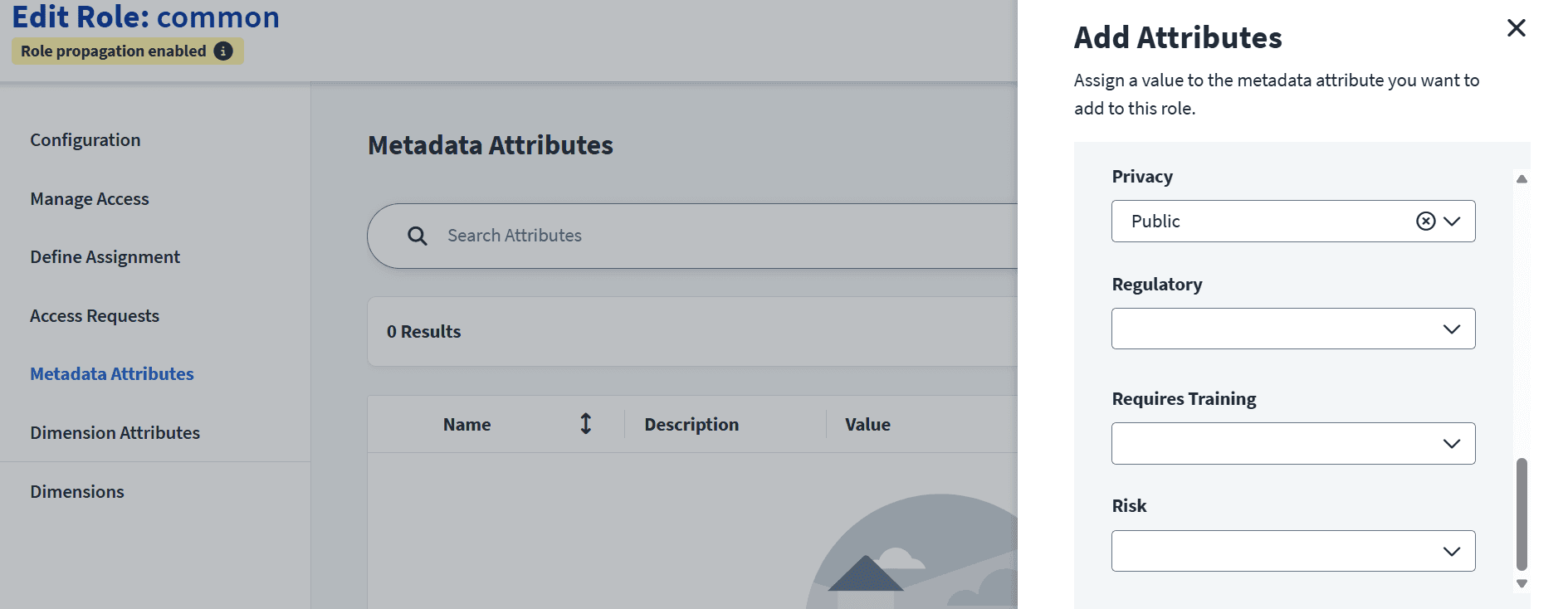
Fig: Attributes in the selected role named common
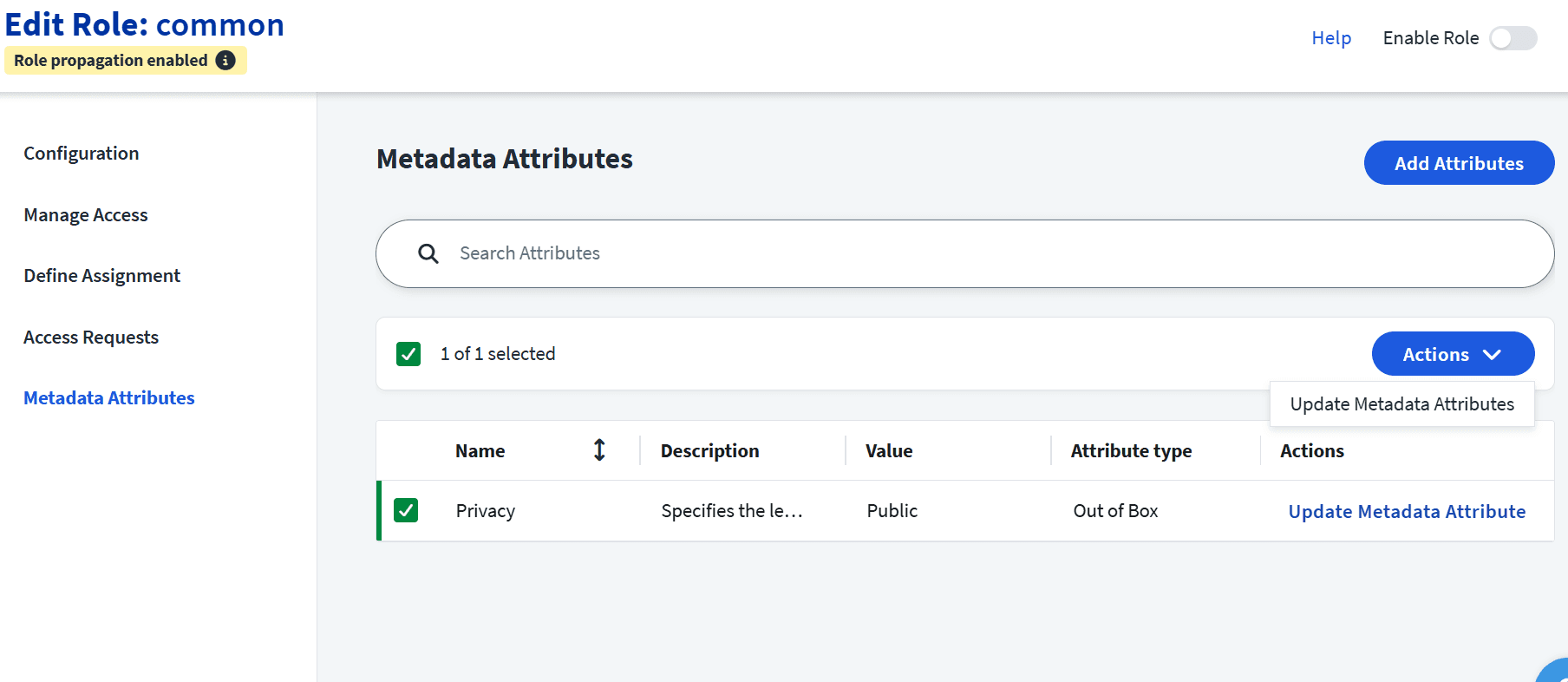
Fig: View of metadata attributes chosen
Custom metadata attributes
You can create custom attributes in Global metadata attributes, it will be available in all the access items.
Admin>access model>metadata attributes
Click on create attribute
Add the name, description, values
Select save.
Editing the metadata attributes
Admin>access model>metadata attributes
Select the attribute
In action select Edit or delete
Select save
You can edit name, description, values but not the technical name.
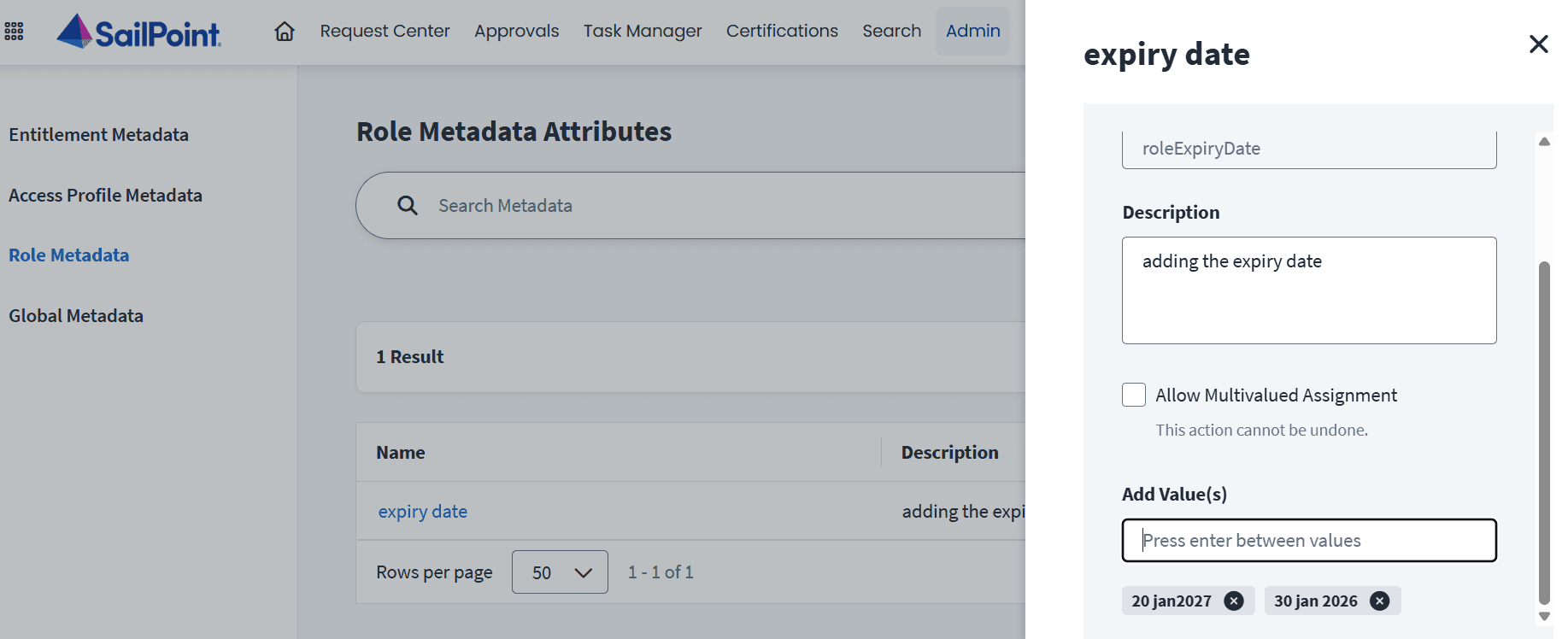
Fig: Custom Attribute appears in the left panel with the values
Metadata Attribute view in Selected Entitlement
The view of governance metadata in the role will be displayed in the selected access item
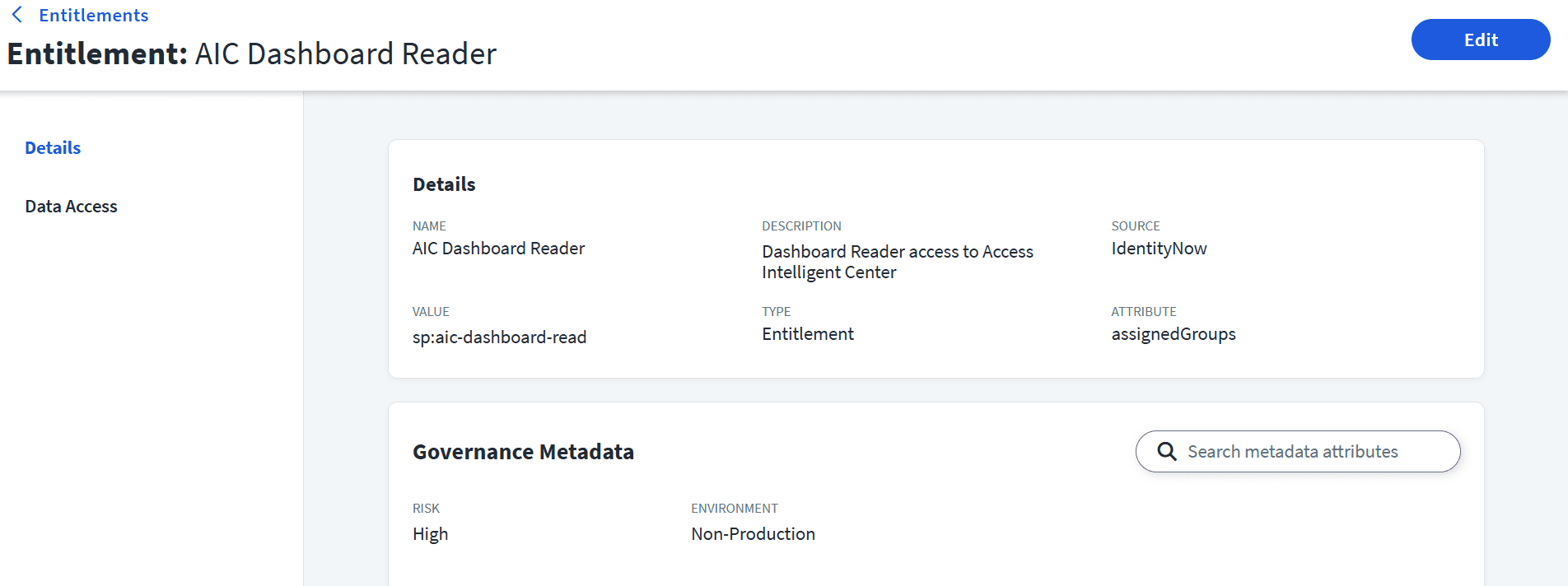
Fig: View of the metadata in the entitlement named AIC Dashboard Reader
Stay tuned to our blog to see more posts about
Sailpoint products implementation and its related updates.
Stay tuned to our blog to see more posts about
Sailpoint products implementation and its related updates.
Category:
Security
Stay tuned to our blog to see more posts about
Sailpoint products implementation and its related updates.
Stay tuned to our blog to see more posts about
Sailpoint products implementation and its related updates.
Category:
Category:
Security
Security
Get your
Tailored Quote for your
Organisation
Get your
Tailored Quote for your
Organisation
Metadata Attributes in SailPoint ISC: Governance and Best Practices
Metadata attributes are used to add contextual information, governance, tracking. It can be added in the policies, rules, certifications, reports, workflows. The difference between configurations attributes and metadata attributes is earlier is for provisioning and access decisions and later is for governance, tracking and context.
Best Practices:
-Standard naming conventions
-Avoid unnecessary attributes
Types:
Default metadata attributes
Custom metadata attributes
Out-of-box attributes
Access Type-Insider, system
Cloud Service Type-Compute, Storage
CSP-AWS, Azure, GCP
Data Access Security-Exposed, Data Classification Level-
Confidential, Internal, common access, public
Environment-Production, Non-Production
Federal Classification-NOFORN, ORCON
Permission Type-create, update, read, delete
Privacy -Private, Public
Regulatory-GDPR, HIPPA
Requires Training- Yes, No
Risk- Critical, Low, Medium, High
Default Metadata Attributes
Go to Admin>Access Model>Metadata attributes.
It is available in the left panel Global metadata attributes> Default tab
Select the role or any other access item which you want to add the metadata attribute.
Select the metadata attributes in the left panel
Choose the attributes add the values.

Fig: Attributes in the selected role named common

Fig: View of metadata attributes chosen
Custom metadata attributes
You can create custom attributes in Global metadata attributes, it will be available in all the access items.
Admin>access model>metadata attributes
Click on create attribute
Add the name, description, values
Select save.
Editing the metadata attributes
Admin>access model>metadata attributes
Select the attribute
In action select Edit or delete
Select save
You can edit name, description, values but not the technical name.

Fig: Custom Attribute appears in the left panel with the values
Metadata Attribute view in Selected Entitlement
The view of governance metadata in the role will be displayed in the selected access item

Fig: View of the metadata in the entitlement named AIC Dashboard Reader
