Person organizing task sticky notes on a board under Testing and Complete columns.

Workflow: Definition, Benefits & Best Practices

Date Posted:

Category:

Security

Author:

Prakash Muthu

Person organizing task sticky notes on a board under Testing and Complete columns.

Workflow: Definition, Benefits & Best Practices

Date Posted:

Category:

Security

Author:

Prakash Muthu

Person organizing task sticky notes on a board under Testing and Complete columns.

Workflow: Definition, Benefits & Best Practices

Date Posted:

Category:

Security

Author:

Prakash Muthu

Identity Access Management (IAM) Workflow management

Introduction of Workflow

A workflow is a set of actions that are completed every time a specific event occurs. Automatically initiating and performing a sequence of actions within your system that you can configure in response to a trigger.

Steps of Workflow

  • TRIGGERS

  • ACTIONS

  • OPERATORS

TRIGGERS

The trigger dictates when the workflow starts and supplies the initial input that guides the subsequent steps in the workflow. Each workflow is required to have exactly one trigger.
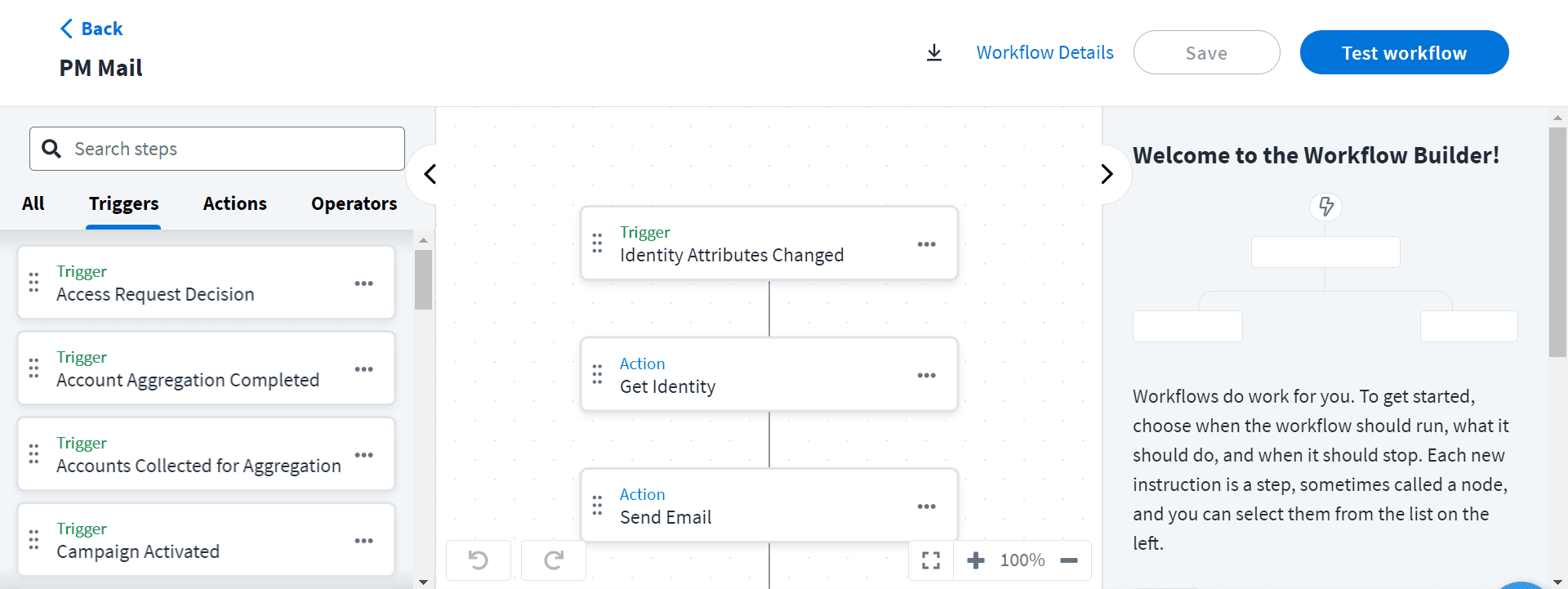
SailPoint IdentityNow Workflow Builder interface displaying a workflow triggered by Identity Attributes Changed, retrieving identity details, and sending an automated email, with available triggers listed in the sidebar.
ACTIONS

A workflow must contain at least one action, which is any task it executes outside of the workflow or any modification it makes to its JSON data.
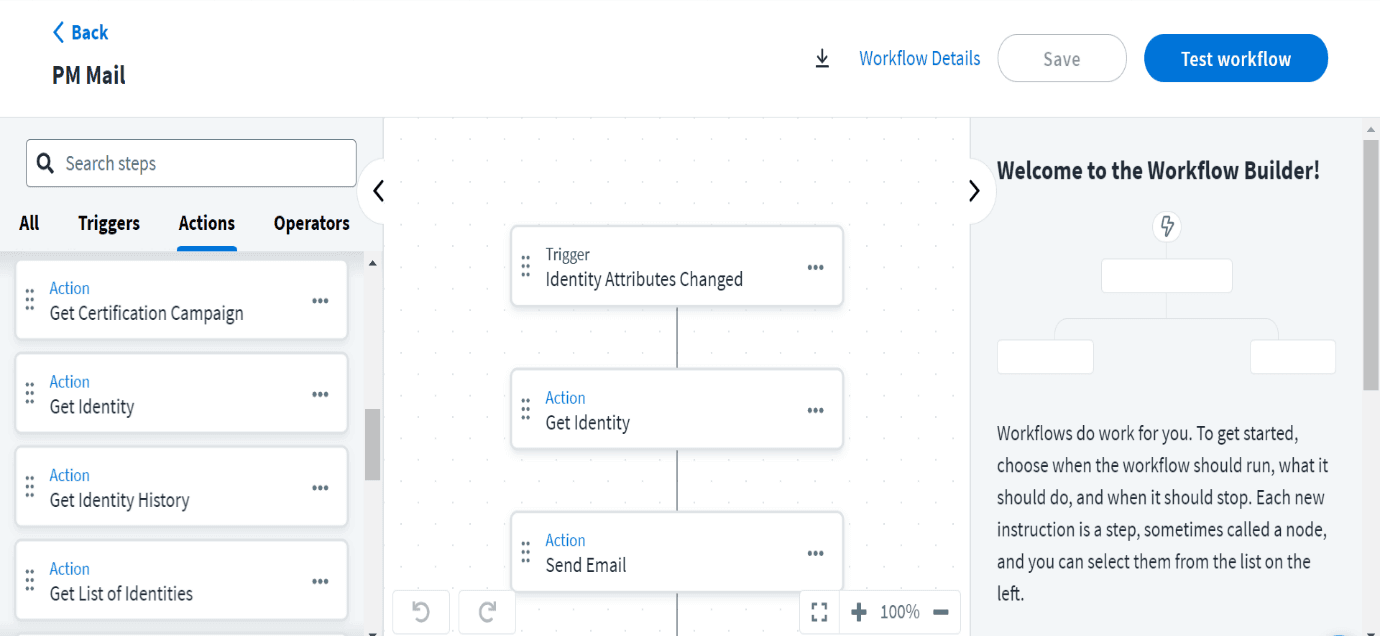
SailPoint IdentityNow Workflow Builder interface displaying an automated workflow triggered by Identity Attributes Changed, retrieving identity data and sending email notifications, with available workflow actions listed in the sidebar.
OPERATORS

An operator that compares two values and makes a decision based on that comparison is called a choice or comparison step. Examples of such operators include Compare Strings and Compare Numbers.
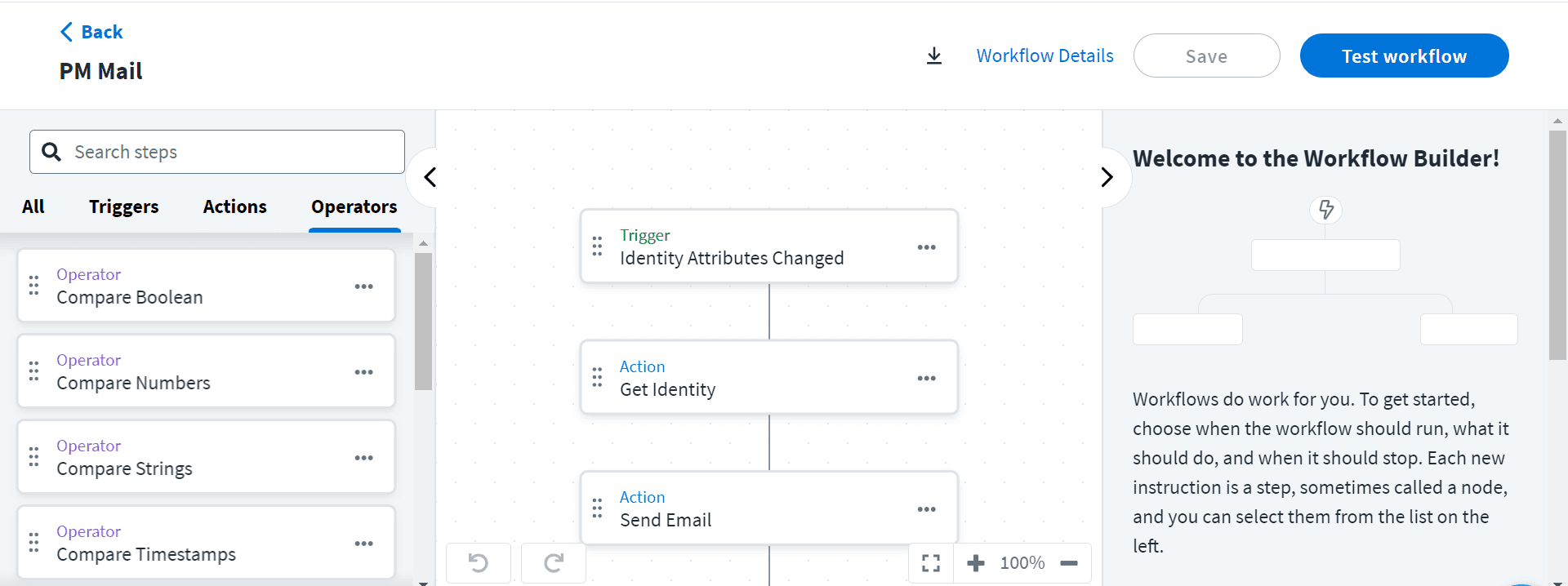
SailPoint Workflow Builder with Identity Attributes Changed trigger and Operators panel open.

Ways Of Build A Workflow:

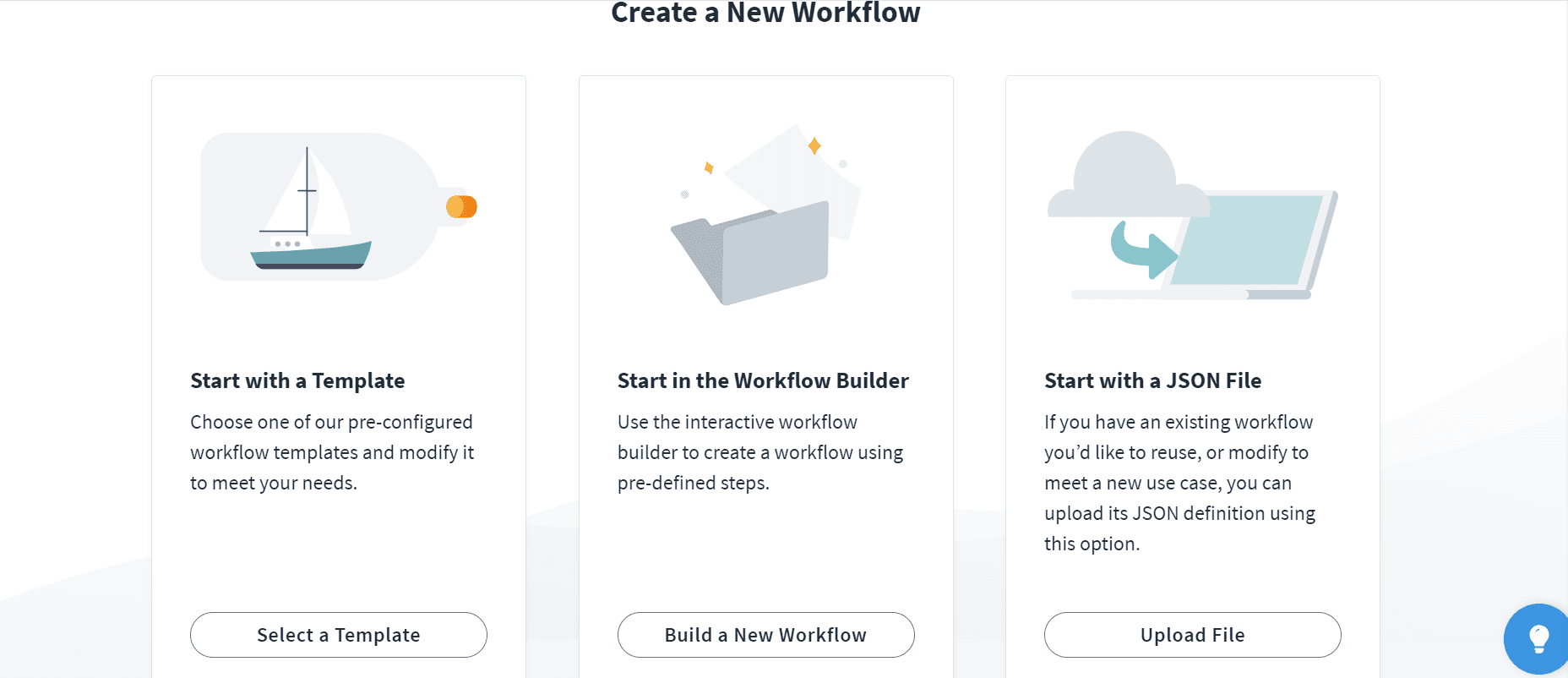
 There are three ways to build a workflow, those are

·         Start with a template

·         Start with a JSON File

·         Start in the workflow builder.

SailPoint Create a New Workflow screen with options to use a template, workflow builder, or upload a JSON file.


Start with JSON File:

We create a workflow using already created workflows. We need to download the script of already created workflow which we want to reuse and upload the script here.
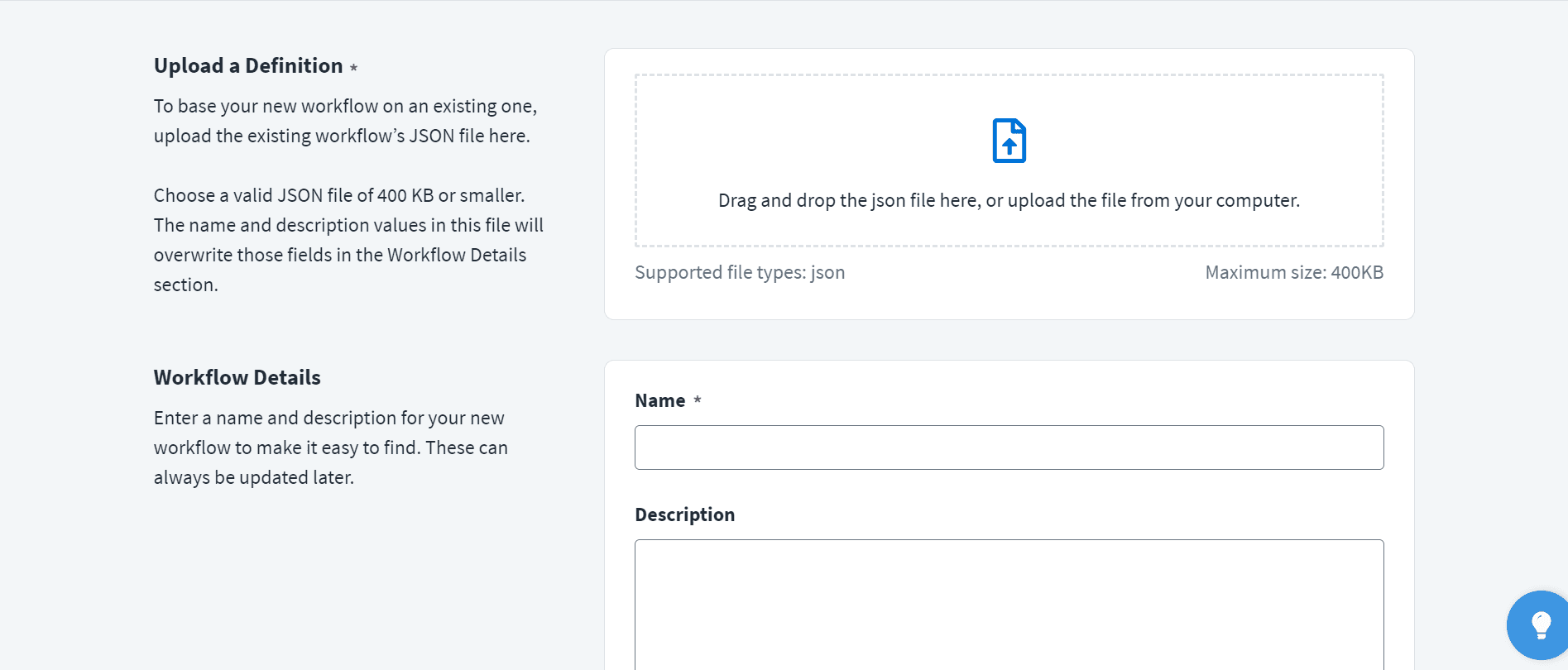
SailPoint workflow JSON upload screen with drag-and-drop file area and workflow name and description fields.

Start With Template:

Sailpoint provide some pre-defined templates to create workflow. We can use those templates to create a new workflow without creating from the scratch.
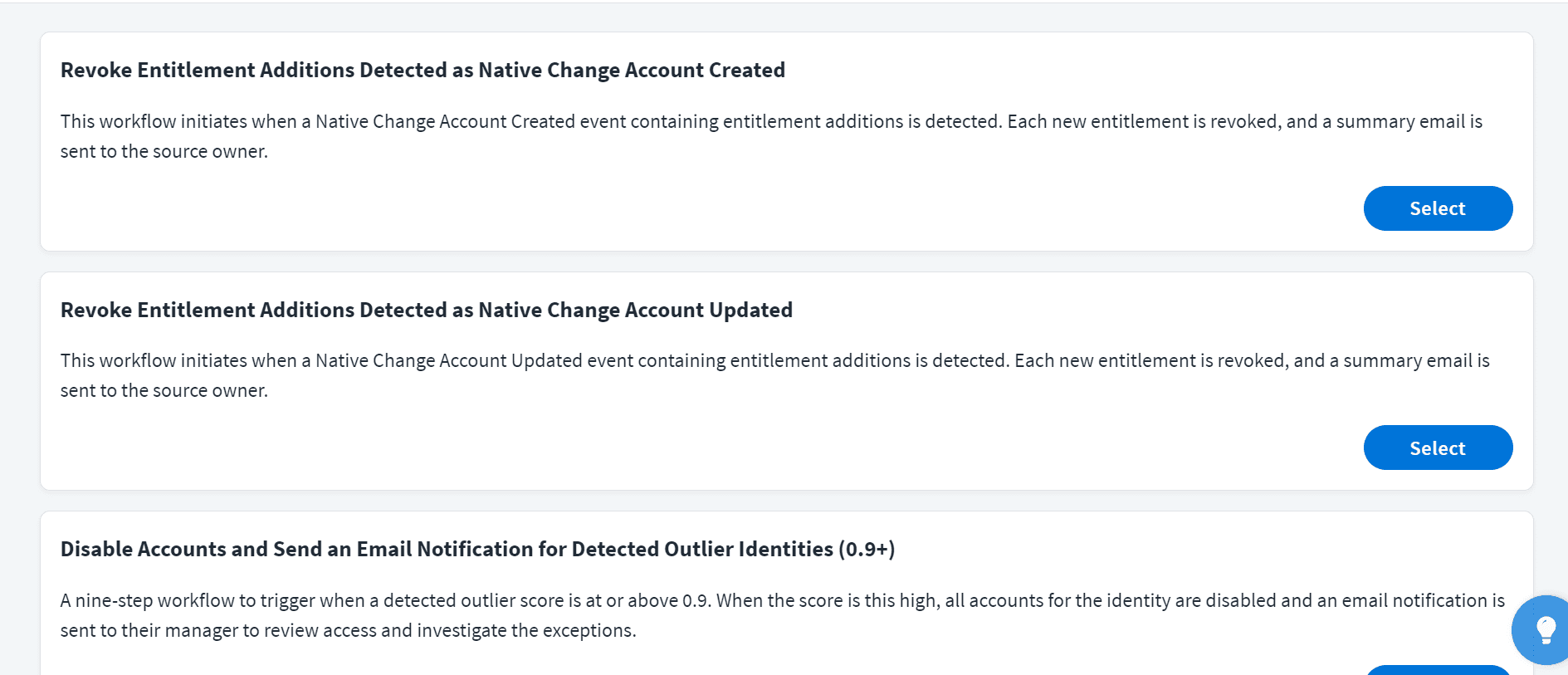
SailPoint workflow template list showing entitlement revocation and outlier detection workflows.

Start With Workflow Builders

Complex workflows can be created with minimal amount of code using visual workflow builder.

End Steps

Each workflow requires at least one end step, which can be used to stop the workflow and classify its execution as either a success or a failure. Each branch of your workflow must conclude with an end step.

Conclusion

We use the workflow to automate some processes whenever an event occurs without using the code and no need to initialize those steps every time. It provides enormous flexibility.


Stay tuned to our blog to see more posts about

Sailpoint products implementation and its related updates.

Stay tuned to our blog to see more posts about

Sailpoint products implementation and its related updates.

Category:

Security

Stay tuned to our blog to see more posts about

Sailpoint products implementation and its related updates.

Stay tuned to our blog to see more posts about

Sailpoint products implementation and its related updates.

Category:

Category:

Security

Security

Get your

Tailored Quote for your

Organisation

Get your

Tailored Quote for your

Organisation

Identity Access Management (IAM) Workflow management

Introduction of Workflow

A workflow is a set of actions that are completed every time a specific event occurs. Automatically initiating and performing a sequence of actions within your system that you can configure in response to a trigger.

Steps of Workflow

  • TRIGGERS

  • ACTIONS

  • OPERATORS

TRIGGERS

The trigger dictates when the workflow starts and supplies the initial input that guides the subsequent steps in the workflow. Each workflow is required to have exactly one trigger.

SailPoint IdentityNow Workflow Builder interface displaying a workflow triggered by Identity Attributes Changed, retrieving identity details, and sending an automated email, with available triggers listed in the sidebar.
ACTIONS

A workflow must contain at least one action, which is any task it executes outside of the workflow or any modification it makes to its JSON data.

SailPoint IdentityNow Workflow Builder interface displaying an automated workflow triggered by Identity Attributes Changed, retrieving identity data and sending email notifications, with available workflow actions listed in the sidebar.
OPERATORS

An operator that compares two values and makes a decision based on that comparison is called a choice or comparison step. Examples of such operators include Compare Strings and Compare Numbers.

SailPoint Workflow Builder with Identity Attributes Changed trigger and Operators panel open.

Ways Of Build A Workflow:

 There are three ways to build a workflow, those are

·         Start with a template

·         Start with a JSON File

·         Start in the workflow builder.

SailPoint Create a New Workflow screen with options to use a template, workflow builder, or upload a JSON file.


Start with JSON File:

We create a workflow using already created workflows. We need to download the script of already created workflow which we want to reuse and upload the script here.

SailPoint workflow JSON upload screen with drag-and-drop file area and workflow name and description fields.

Start With Template:

Sailpoint provide some pre-defined templates to create workflow. We can use those templates to create a new workflow without creating from the scratch.

SailPoint workflow template list showing entitlement revocation and outlier detection workflows.

Start With Workflow Builders

Complex workflows can be created with minimal amount of code using visual workflow builder.

End Steps

Each workflow requires at least one end step, which can be used to stop the workflow and classify its execution as either a success or a failure. Each branch of your workflow must conclude with an end step.

Conclusion

We use the workflow to automate some processes whenever an event occurs without using the code and no need to initialize those steps every time. It provides enormous flexibility.